
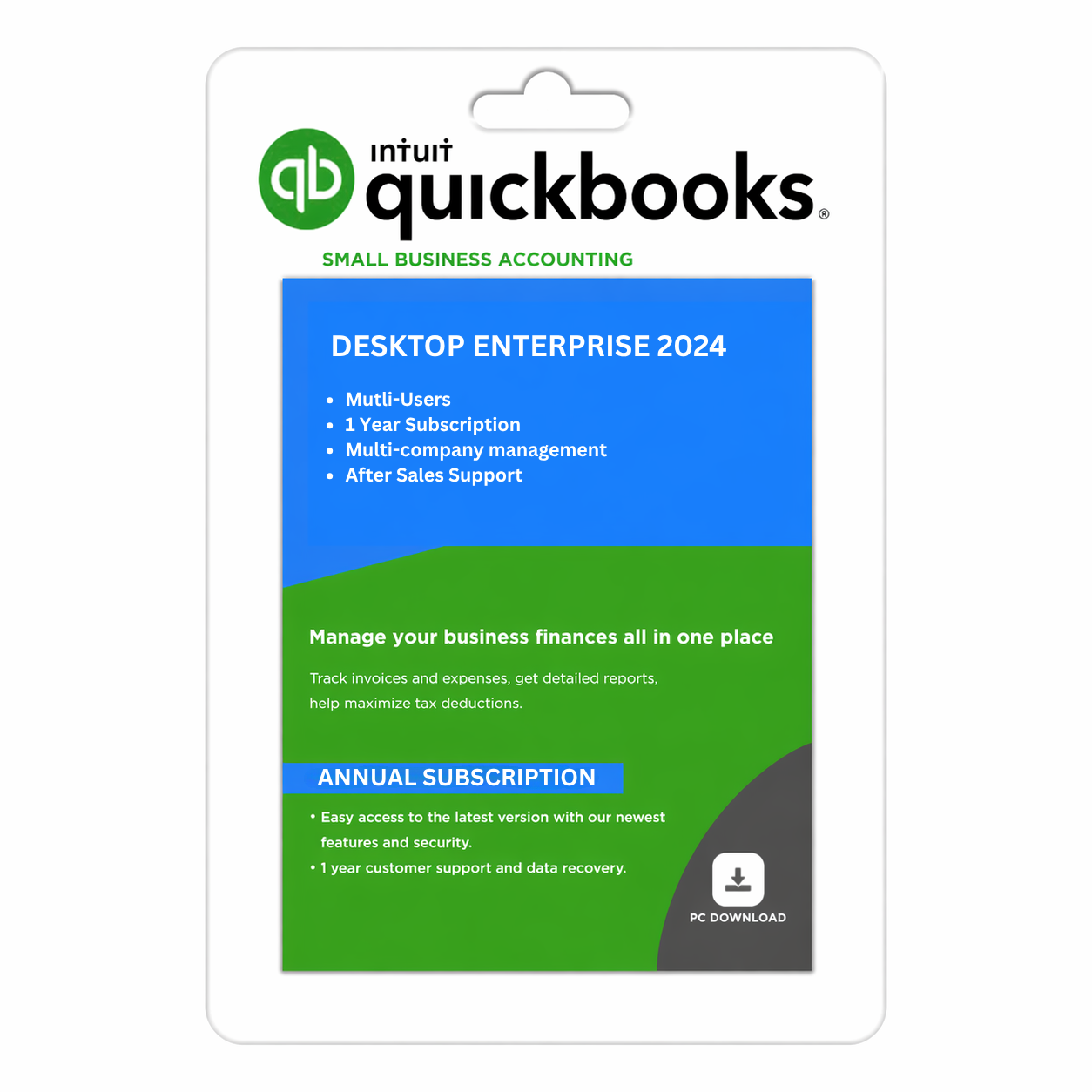
Intuit QuickBooks Desktop Enterprise 2024
$499.95
Buy QuickBooks Desktop Enterprise 2024 — Best accounting software for small businesses for upto 40 users. Manage invoices, track expenses, advanced inventory and generate financial reports effortlessly.
-
QuickBooks Desktop Enterprise 2024 – USA version, quick delivery on email with download link and product details.
-
Simplify Accounting Tasks – Manage invoices, track income & expenses, and reconcile bank accounts easily.
-
Powerful Reporting Tools – Generate real-time financial reports, balance sheets, and profit/loss summaries.
-
Multi-User Access – Collaborate securely with your accounting team or clients. (Call/Chat for additional users)
-
Secure & Reliable – Automatic data backups and improved stability for safe financial management.
-
Optimized Performance – Faster startup, smoother navigation, and enhanced file handling.
QuickBooks Desktop Enterprise 2024 — Business Accounting Software
Advanced accounting, inventory management and reporting for growing businesses
Manage your business finances and operational workflows with QuickBooks Desktop Enterprise 2024. Designed for businesses with more complex accounting requirements, Enterprise offers advanced financial tools, inventory capabilities and customizable reporting to help organize day-to-day business operations.
Whether you manage a growing company, wholesale operation, retail business or manufacturing workflow, QuickBooks Desktop Enterprise provides tools to help maintain financial records, track transactions and manage business information in one desktop application.
SMBDAILY LLC provides digital software products and customer assistance for ordering, delivery and activation.
Key Features and Benefits
Advanced Accounting and Financial Management
Manage company transactions, accounts payable, accounts receivable, invoices, bills and financial records. Available accounting features help organize bookkeeping tasks and provide a clearer view of business performance.
Customizable Financial Reporting
Use available financial reports to review income, expenses, profitability and other business metrics. Enterprise includes advanced reporting capabilities, with the available tools depending on the selected edition and subscription.
Inventory and Stock Management
For businesses that manage physical products, supported inventory features can help organize stock records, purchasing and sales workflows. Advanced capabilities may include barcode scanning, serial or lot tracking, and inventory management across locations, depending on the applicable plan and configuration.
Multi-User Accounting
Enterprise supports multi-user workflows under the applicable licence terms. Each user must have the appropriate licence entitlement, and the supported number of simultaneous users depends on the selected plan. Call or chat with SMBDAILY customer service team to order more than 1 user for other computers.
Business Workflow Management
Organize sales orders, purchase orders, vendor records and customer transactions. Supported workflow and approval features vary by plan and can help businesses standardize routine processes.
Industry-Specific Capabilities
QuickBooks Desktop Enterprise offers features suited to different business workflows, including manufacturing, wholesale, retail and construction. The exact tools available depend on the selected edition, plan and configuration.
Desktop-Based Operations
Run accounting software in a compatible Windows environment and manage your company files within your business’s established workflow. Hosting and remote-access options may be available separately, subject to the applicable service and subscription.
Who Is QuickBooks Desktop Enterprise For?
QuickBooks Desktop Enterprise may suit businesses that need more advanced accounting or operational tools than a basic bookkeeping application provides.
- Growing small and medium-sized businesses.
- Wholesalers and distributors managing product inventory.
- Retailers with more complex stock and purchasing workflows.
- Manufacturers managing materials, inventory and job-related costs.
- Businesses that need multi-user access and detailed reporting.
- Companies that want accounting and operational records organized in a desktop environment.
The best fit depends on your business processes, required features, number of users and budget.
Product Specifications
| Specification | Details |
|---|---|
| Product | QuickBooks Desktop Enterprise 2024 |
| Product category | Accounting and business management software |
| Platform | Windows desktop |
| Region | United States Version |
| Architecture | 64-bit |
| Subscription | As specified in the selected offer |
| User entitlement | Depends on the selected user option and licence |
| Delivery method | Digital delivery |
| Payroll | No |
| Cloud hosting | No |
| Customer assistance | order, delivery, technical and activation assistance |
System Requirements
Before purchasing, ensure your computer meets the software’s requirements.
- Operating system: Compatible 64-bit Windows installation. Windows 11 or a supported Windows Server version is recommended.
- Processor: 2.4 GHz minimum, compatible Intel or AMD processor.
- Memory: 8 GB RAM minimum; 16 GB recommended for a workstation.
- Server memory: Requirements increase with the number of users. For multi-user environments, consult the official specifications for your intended setup.
- Storage: Approximately 2.5 GB of disk space for the application, plus additional space for company files and other components.
- Internet connection: Required for registration and applicable subscription, payroll, payment and online features.
- Browser: Google Chrome for supported browser-dependent features.
- Additional software: Microsoft .NET Framework 4.8 may be required.
For the full technical requirements, consult the official QuickBooks Desktop Enterprise technical specifications.
What You Receive
Your order is intended to include the applicable digital product entitlement and delivery information for the selected QuickBooks Desktop Enterprise 2024 offer.
Depending on the specific offer, this may include:
- Product download instructions or an applicable download link.
- Licence and activation information.
- Installation and activation instructions.
- Digital delivery information sent to your order email address.
- SMBDAILY assistance with order processing, delivery and activation-related questions.
Subscription, Licensing and Registration
QuickBooks Desktop Enterprise is offered in different subscription plans, including Silver, Gold, Platinum and Diamond. The available features and user entitlements differ by plan.
Subscription period: Review the subscription duration and renewal terms displayed for the selected offer before purchasing. Continued access beyond the stated subscription period is subject to the applicable subscription and renewal terms.
User licences: Select the user entitlement that matches your requirements. Permitted users, simultaneous access and device use are governed by the licence supplied with your order.
Registration and activation: Product registration and activation may be required. Follow the supplied instructions and ensure your computer meets the applicable system requirements.
Plan-specific features: Advanced inventory, advanced reporting, payroll, cloud hosting, data backup and other services may depend on the selected subscription. These features are included only where the selected offer expressly provides them.
Online services and integrations: Online banking, payments, payroll, connected applications and other services may have separate eligibility requirements, fees or service terms. Confirm availability for your intended use before purchasing.
Technical support: SMBDAILY provides assistance with order processing, digital delivery and activation-related questions. Direct support from Intuit is included only if expressly confirmed in the selected offer.
Digital Delivery
After successful payment and order processing, applicable product information and delivery instructions will be sent electronically to the email address provided at checkout.
Please check your inbox, spam and junk folders. If your order information does not arrive within the stated delivery timeframe, contact SMBDAILY for assistance.
SMBDAILY 30-Day Refund Policy
SMBDAILY LLC offers a 30-day refund policy on all products, including digital products.
You may request a refund within 30 calendar days of purchase without providing a reason. A replacement, exchange or mandatory troubleshooting process is not required instead of a refund.
Please review our Refund and Exchange Policy and Terms and Conditions for complete details.
Why Choose SMBDAILY?
- Clear product information: Review the selected subscription, plan and user entitlement before purchase.
- Digital order delivery: Receive applicable product and activation instructions electronically.
- Customer assistance: Get help with order processing, delivery and activation-related questions.
- Transparent terms: Understand what is included and which features may require a separate service.
- 30-day refund commitment: Request a refund within 30 calendar days under our published refund policy.
Frequently Asked Questions
Is QuickBooks Desktop Enterprise 2024 subscription-based?
Yes. QuickBooks Desktop Enterprise is subscription-based.
How many users can Enterprise support?
QuickBooks Desktop Enterprise 2024 can support upto 40 users.
Does the product include payroll?
No it does not include payroll.
Is cloud hosting included?
No. Cloud hosting is offered separately and is not included.
Does it support inventory management?
Enterprise offers inventory management capabilities. Specific features, such as advanced inventory, barcode workflows and serial or lot tracking, depend on the applicable plan and configuration.
Can I access the software remotely?
Remote access may be possible through supported hosting or other compatible arrangements. Hosting and related services may require a separate subscription or fee.
Can I request a refund?
Yes. SMBDAILY’s published policy allows refund requests within 30 calendar days of purchase, including for digital products. Refer to our Refund and Exchange Policy for the complete terms.
Additional information
| Users | 1, 2, 3, 4, 5, 6, 7, 8, 9, 10 |
|---|
Reviews
There are no reviews yet.